
Run the whole practice in one system.
Every engagement, deadline and document in one place, sorted by what is due.
See the real Untangly workspace.
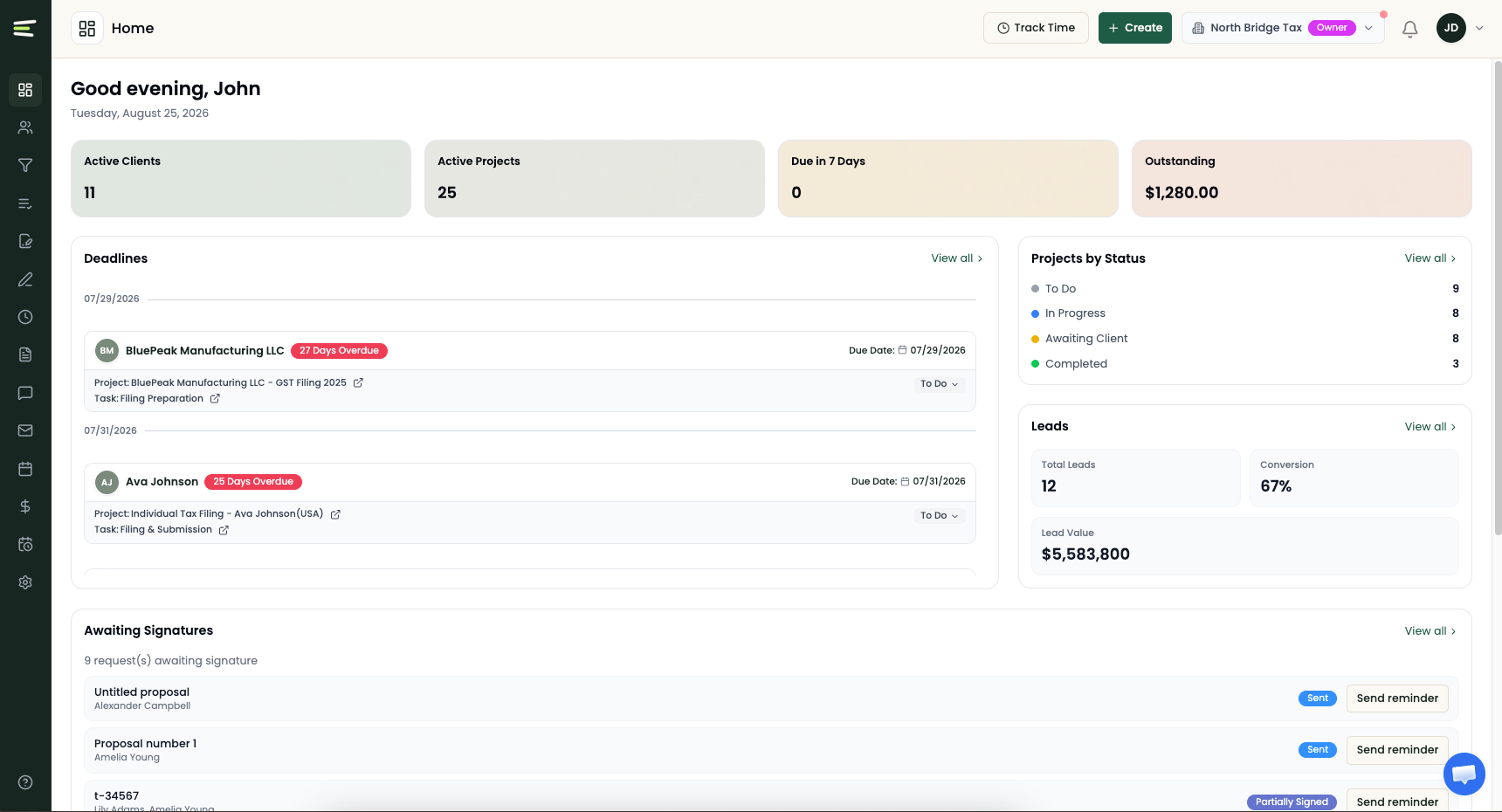
Live product · example firm dataKnow what needs attention before the day starts.
Clients, active work, deadlines, signatures, and lead activity in one operational view.
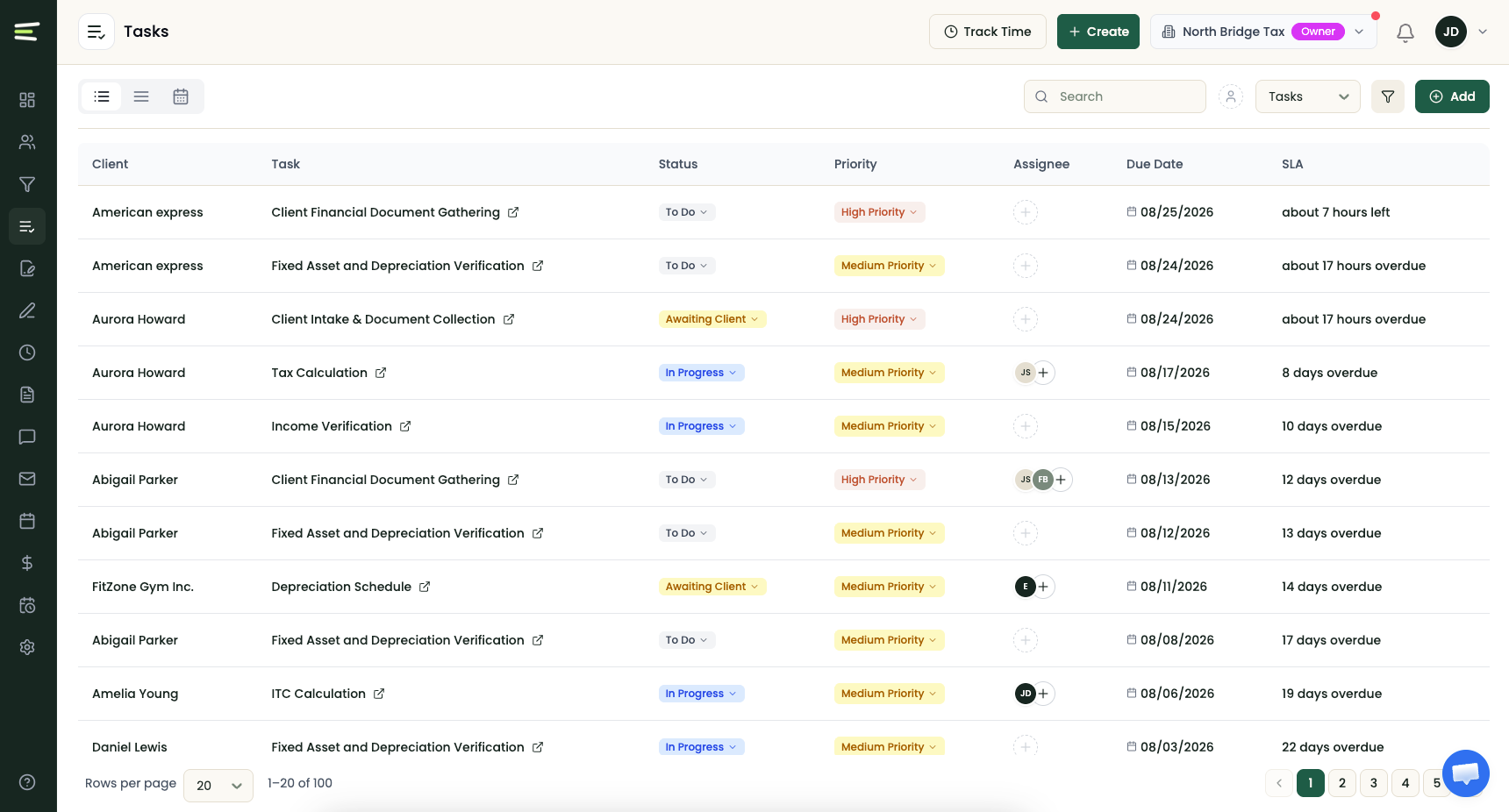
Every task, owner, priority, and due date in view.
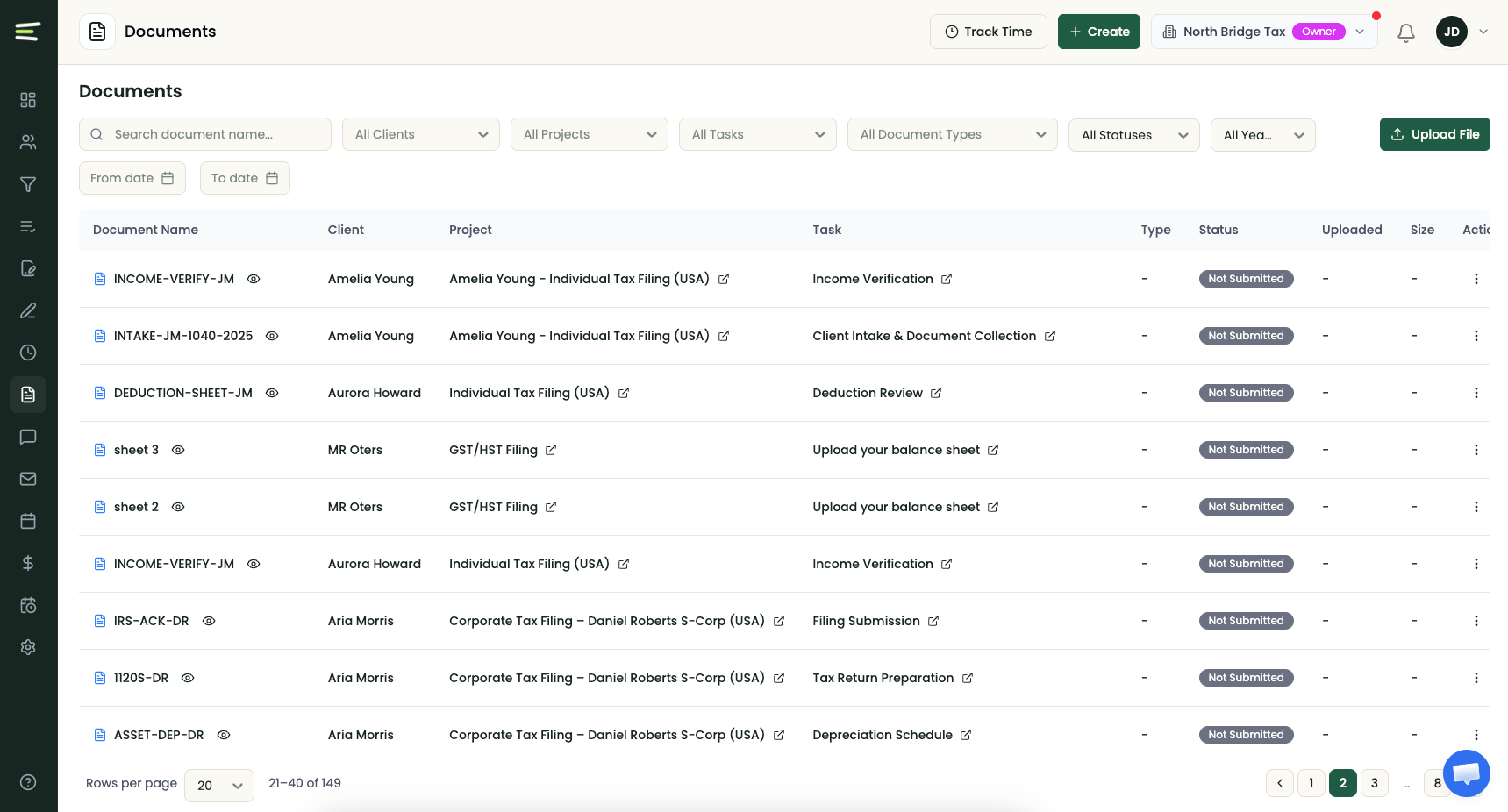
Find every file in the context of the work.
Three things change when the firm runs on one system.
Every deadline is visible.
Every engagement and filing date on one screen, sorted by what is due. Recurring work creates itself on schedule. You check one view instead of asking three people.
Client follow up runs itself.
Document requests go out, remind clients, and check themselves off when the file arrives. Clients upload from a phone and sign in two taps. Status questions stop reaching your team.
The invoice matches the work.
Time is logged on the task, where the work happens. Billing pulls from what was done, and clients pay by card or bank debit through Stripe.
One system, nine jobs. No handoffs between them.
Untangly does not do the bookkeeping. QuickBooks Online and Xero do that, and Untangly connects to both.
Most firms run on six disconnected tools.
A project tracker, an inbox, a shared drive, an eSignature app, a scheduler and a tracking spreadsheet. Each works on its own.
The handoffs between them are where deadlines slip, documents go missing and hours go unbilled. Six tools with gaps between them is not a system.
Clients use the portal because it is easier than email.
Firms have bought portals before and watched clients ignore them. The reason was usually simple. The portal asked the client to do more work than email did.
So every action here takes fewer steps than its email equivalent. A secure link instead of a password. Camera roll instead of a scanner. Two taps to sign. And the checklist is in front of them, so they stop asking you what is outstanding.
Migration is a plan with a person attached.
You approve the mapping before anything moves, and review a sample batch before go live. Your data exports any time you want it. If you are mid season, we schedule the move for after your deadline and put the date in writing.
See your own firm in it.
Bring a real client, a real deadline and one recurring engagement. We set them up live, so you judge the product on your own work rather than ours.